Do I Need a Portfolio Website? By Job, Not in General
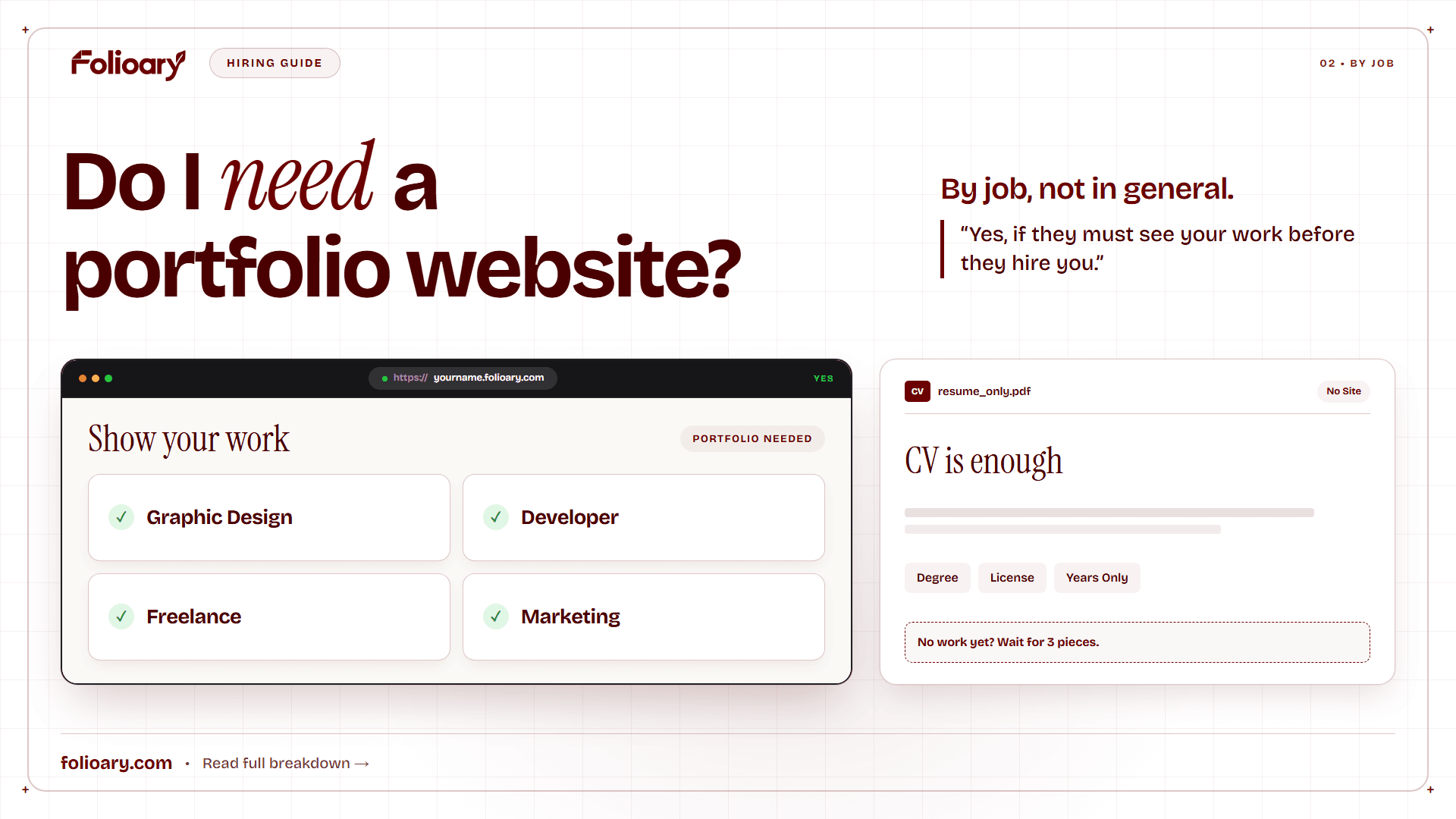
Short answer (TL;DR): Do I need a portfolio website? Yes, if a stranger has to see your work before they hire you. That is most graphic design jobs, most freelance work, many developer roles, and marketing jobs that are judged on campaigns. No, if the employer only needs your degree, your license, or your years in a role, and never asks to see a project.
A resume gets you through the form. A portfolio shows the work. If you already know that split, the rest of this guide is about your job, and how to build the page if you need one. The difference between the two files is covered in portfolio vs resume.
Do I need a portfolio website?
Ask one question: will the person who hires me want to see something I made?
If the answer is yes, you need a portfolio. A website is the best form of that portfolio, because you can put one link on your CV, in an email, and in a chat. If the answer is no, do not build a website just because other people have one.
You need a portfolio website if:
- You design. Logos, posts, UI, packaging, and illustrations have to be seen.
- You freelance. A client you have never met will ask for work before they pay you.
- You build websites or apps and you want the interview to be about real projects.
- You do marketing and the job cares about results, not only about tools you have used.
You do not need one if:
- The role is nursing, accounting, driving, teaching in a school that never asks for samples, warehouse work, or most government forms that only score a CV.
- You are a back-end developer with a strong GitHub and the company never opens personal sites. A site can still help. It is not always required.
- You have no work yet and you would only publish an empty page with your photo. Wait until you have three pieces to show. A blank site does not help.
The need for creation of a portfolio is not "everyone should have a personal brand." The need is practical. Someone is about to decide. They cannot sit next to you. The page has to explain the work without you in the room.
Do I need a portfolio for graphic design?
Yes. If you want graphic design work, you need a portfolio. A CV that says "Adobe Photoshop, Illustrator, 2 years" does not show taste. Design is hired with the eyes.
This is true for a studio job, an in-house job, and freelance. It is true if you studied design and if you taught yourself. It is true in Lahore, Bangalore, Dhaka, Manila, Lagos, Nairobi, London, and a small city with no design studios. The client still has to see the work.
What they look at:
- Is the work good, or only busy?
- Did you follow a brief, or only make something pretty?
- Can I tell what you did, versus what a teammate did?
- Does the style fit the job I have open?
Behance, Dribbble, or Instagram can help people find you. They are not a full substitute for your own page. The layout is theirs. Your best project can get buried. You also cannot control the order. Use those sites if you like. Still keep one link that is yours.
A PDF is useful when a form says "upload a file." Build the PDF from the same projects as the site. Do not tell two different stories.
If you are a student, three class projects are enough to start, if you present them like real jobs. Write the brief, what you decided, and the final files. School work with no explanation looks like homework.
How to build a portfolio as a graphic designer
You do not need 30 projects. You need a small set that matches the work you want.
- Write one line: what you design and for whom. Example: "I design packaging for small food brands." Not "I am a creative person who loves art."
- Pick four to six projects. Cut anything you are not proud of. Weak work makes the strong work look weaker.
- For each project, add the piece type (logo, poster, UI, social set), the goal, your part, and three to eight large images. Phone screenshots the size of a stamp are not enough.
- Put the work near the top. Do not make people scroll through a long life story first.
- Add an email that you actually check. If you use a form, test it.
- Put the link at the top of your CV, in your email signature, and on the freelance profile you already use.
If you have only client work you cannot show, make one personal project and label it "personal project." Do not pretend it was paid.
A designer page should look like design. Large images, few colors, short text. A developer layout full of skill bars is the wrong shape for logos and posts.
When the projects are chosen, publish them on a page you can send today. The Folioary docs walk through picking a layout, editing the sections, and going live, if you do not want to code the site yourself.
Do I need a portfolio website as a developer?
Often yes. Not always in the same way as a designer.
If you want front-end, UI-heavy, or freelance web work, yes. People will open the site and judge the page itself. It should load fast, work on a phone, and be easy to read. A flashy page that is hard to use counts against you.
If you want a back-end, data, or DevOps role, a clear GitHub and a CV may be enough for the first look. A short site still helps, because many recruiters are not going to read ten repositories. Give them three projects with:
- What it does, in one sentence
- Who it is for
- What you built, if it was a team
- The main tools
- A live link or the code
Skip tutorial clones you cannot explain. A to-do app is fine only if you say what you learned and what you would change. Finished is better than fancy.
In a lot of companies in South Asia, the Philippines, and Africa, the application still starts as a CV on a job site or in an email. The portfolio does not replace that file. Put the URL in the header as plain text, like https://yourname.folioary.com, so a system and a person can both read it.
Do I need a portfolio for a marketing job?
Yes, if the job is about campaigns, content, social, ads, email, or SEO. No, if the job is only coordination, data entry, or sales admin and nobody expects to see past work.
Marketing CVs sound the same. "Managed social media. Ran campaigns. Increased engagement." A hiring manager cannot tell who is good from those lines.
A useful marketing portfolio is two to four short stories. Each story has:
- The problem or the goal
- What you did, in your words, not the whole company's
- What changed
Use a real number when you have one and are allowed to share it. Sales, signups, replies, cost, or traffic. If you cannot share the number, say the goal and what moved. Do not invent a percent.
Screenshots of posts are not enough. Say what happened after the post.
If you have no client yet, do a practice project and label it "practice." Example: pick a local shop's public page, write what is unclear, and show a better version. Say it was not a paid job. Fake clients get found out.
You do not need a portfolio for a marketing job that never looks at work. Read the job post. If it asks for campaigns, results, or writing samples, they want proof. That proof is the portfolio.
How to build a portfolio for freelancing
Freelance is where the page earns its place. The client may never meet you. They may find you on Upwork, Fiverr, a Facebook group, LinkedIn, or a friend's WhatsApp message. They will open one link. You have about half a minute.
Build the page for that moment:
- First line: the service and who it is for. "Logo design for cafes and clothing brands." "I build small business sites in WordPress." "I run ads for local clinics."
- Three projects, not fifteen. The kind of work you want more of.
- Your part and the result, even if the result is "the client still uses this logo" or "the site is live."
- How to contact you. Email is enough. Add WhatsApp only if you want that.
- Price only if you are comfortable. A starting range helps some clients. Others will message you anyway. Do not hide the work behind a "book a call" wall.
A freelance portfolio is not a full agency website. You do not need ten service pages on day one. One clear page is better than a big site with empty sections.
Update it when you finish a project you are proud of. An old page that shows school work from four years ago tells clients you stopped.
How to build a portfolio website for free
You can put a real page online without paying first. Free has limits. Know them before you send the link to a job.
| Way | What you get | The limit |
|---|---|---|
| PDF only | A file you can upload | Not a link. Hard to update. Easy to get lost in email. |
| Behance, GitHub, or a social profile | A place people already are | You do not own the layout. Fine as a backup, weak as your only home. |
| A free website builder | A link on their subdomain | Branding, page limits, or a trial. Read the plan before you rely on it. |
| Code it yourself and host on a free static host | Full control | Only worth it if you already enjoy code, or the code is the work sample. |
Folioary's free plan is one of the builder options. You can draft without a card. A live site on yourname.folioary.com includes a 30-day trial that starts when you first publish. The paid Starter plan is $12 per year for one site that stays online, and Agency is $35 per year for up to 10 sites. Those numbers are on the pricing page. Other tools change their prices. Check them on their own sites before you commit. Do not pick a tool only because a blog said it was free last year.
Free is enough to apply this month. Pay later if you need the branding removed, more than one site, or a longer life than a trial.
A custom domain, like yourname.com, is nice. It is not required for your first applications. A clean subdomain you control is better than no link.
How to build a portfolio website from scratch
"From scratch" means you are not using a ready layout. You decide the sections, the type, and the code or the design file.
Do this if the site itself is a work sample. Front-end developers and some designers are in this group. Do not do this if you only need a link by Friday and you are not trying to prove that you can build websites.
If you code it:
- One page is enough. Name, one-line offer, projects, contact.
- Use simple HTML and CSS, or a tool you already know. Do not learn a huge framework only for this.
- Put the text in real HTML, not only in pictures. Phones and search tools need text.
- Check it on a cheap Android phone, not only on your laptop. A lot of clients and recruiters will open it that way.
- Host it somewhere with HTTPS. Test the link in a private window.
If you do not code:
From scratch usually means a blank canvas in a website tool, where you drag every block. That is slower than starting from a layout made for your field. A designer layout should start with images. A developer layout should start with projects and links. A marketer layout should start with results. Starting from the wrong shape is why many "from scratch" sites never get finished.
Give yourself a limit. One evening to choose the work. One evening to write the words. One evening to publish. If it takes three weeks, you are designing the frame and avoiding the work.
How to build a portfolio website on Canva
Canva is fine for a first PDF and for a simple one-page site, especially if you already design there.
Use it like this:
- Pick a portfolio template, not a poster template stretched into a website.
- Replace every sample image with your work. Delete leftover Latin text.
- Keep the type large enough to read on a phone.
- One project per section. Write two or three lines under it: the job, your part, the result.
- Add a real email. A "contact" button that goes nowhere is a common Canva mistake.
- Publish and open the link on your phone before you put it on a CV.
Canva is a weak choice when you need many project pages, a blog, or a very fast custom-coded feel. It is a fair choice when you need something honest online this week and you are a designer who thinks in Canva already.
If the free Canva link is hard to remember or shows a lot of Canva branding, use it as a draft. Move the same projects to a simpler page later. Do not wait for perfect before you apply.
How to build a portfolio website with AI
People ask this a lot. Here is the honest version. An AI tool can draft a layout or turn bullet points into sentences. It cannot do the job of a portfolio.
Use it only as a helper:
- Paste a project and ask for a shorter description. Then edit. If you would not say the sentence out loud, delete it.
- Ask for a section list. Then cut it down. Most drafts are too long.
- Do not let it invent clients, numbers, or tools you have not used. Hiring people notice. So do clients.
A page full of smooth AI text and no real images looks empty, even when it is long. Your work has to be on the page. The tool does not have your files.
Folioary is not an AI company. It is a way to publish a portfolio from the resume and projects you already have, with layouts for designers, developers, and marketers. If a tool writes a first draft for you, you still have to check every line before you send the link. About Folioary is the short story of why the product exists, if you want that context. You do not need it to follow this guide.
Resume to portfolio
This is the fastest honest path if you already have a CV and you are staring at a blank page.
A resume is a list. A portfolio needs proof. Go line by line:
- Highlight every bullet that points to a real piece of work. A logo, a site, a campaign, a feature you shipped, a set of posts.
- Drop bullets that are only duties. "Attended meetings" does not belong on the portfolio.
- For each kept bullet, collect the file, the link, or the screenshot. If you have nothing to show, it stays on the resume only.
- Rewrite the bullet into four short lines: problem, what you did, what it looked like or what shipped, what changed.
- Put the best three at the top. Save the rest for later.
- Publish the page. Add the URL to the top of the resume.
Same name. Same job title. Same dates if you mention dates. If the resume says you led the project and the site says you assisted, fix one of them before you apply.
You can start from the resume you already have instead of a blank screen. The page is a draft until you add images, links, and results the CV never had room for.
What to put on the page
Graphic designer
- One line on what you design
- Four to six projects with large images
- Your role on each
Developer
- One line on what you build
- Three to five projects
- Stack, your part, and a link to the live app or the code
Marketer
- One line on the channel you want to be hired for
- Two to four stories with a result
- Practice work labeled as practice
Cut skill bars, long quotes about your passion, and stock photos of people in offices. They do not help anyone decide.
Does the country change the answer?
The job changes the answer. The country changes the paperwork.
In Pakistan, India, Bangladesh, the Philippines, and much of Africa, a lot of applications still start with a CV. Job boards and company emails expect a file. A portfolio website does not replace that file. It is the link on it.
Freelance clients in these same places often decide from a link in WhatsApp, email, or a freelance marketplace. They may open it on a phone with an average connection. Heavy animation and huge images hurt you. A simple page that shows the work is better.
English on the page can be simple. Clients and recruiters are often not native speakers either. Short sentences are a strength, not a lack of skill.
If you later want clients in another country, the same page still works. Change the first line so it says who you help. You do not need a different website for every country.
Mistakes that make the page useless
- Building the site before you pick the work.
- Showing everything you have ever made.
- Copying a trendy layout that hides the projects.
- Using AI text you did not read.
- A contact button that does not work.
- A different story on the CV and on the site.
- Waiting for a custom domain, a logo, and a perfect photo before you apply.
Questions people ask
Do I need a portfolio for graphic design?
Yes. Design jobs and design clients hire from the work. A CV lists tools. A portfolio shows taste and your role. Keep a PDF too if a form asks for a file.
Do I need a portfolio for a marketing job?
Yes, when the role cares about campaigns, content, ads, or results. No, when the role never looks at work. Use two to four short stories with a result, not a folder of screenshots with no outcome.
How do I build a portfolio website for free?
Use a free builder, a free host, or a PDF while you save for a domain. Put three real projects up, add an email, and place the link on your CV. Check the current limits on the tool's own pricing page before you depend on it.
How do I build a portfolio website from scratch?
Only if the building is part of the proof. One page, real text, your projects, HTTPS, and a test on a phone. If you just need to be hired for design or marketing, start from a layout and spend the time on the projects.
Can I build a portfolio on Canva?
Yes, for a simple one-page site or a PDF. Replace every sample, write what you did under each project, and test the link. Move to a better home later if the page is slow or hard to share.
Should I use AI to build it?
You can use it to shorten text. Do not use it to invent projects. The portfolio is the work, not the wording.
How do I turn a resume into a portfolio?
Keep the bullets that have proof. Collect the files. Rewrite each one as problem, action, and result. Publish the best three. Put the new link on the resume.
What to do today
- Decide if your next job or client must see work. If no, stop here and improve the CV instead.
- If yes, pick three projects you can show this week.
- Write four lines for each: problem, your part, the work, the result.
- Put them on one page with your email.
- Add that link to the top of your CV and send it.
If you design, do this before you touch colors and fonts. If you develop, add a real link for each project. If you market, add a result or label the piece as practice.
You can build that page from your resume once the three projects are chosen. The tool does not replace the choice. The choice is the portfolio.

Written by Muhammad
Founder of Folioary. Full-Stack Web & Applied AI Developer passionate about building modern, scalable web applications and intelligent systems.